Support our educational content for free when you purchase through links on our site. Learn more
Remote ID Compliant Drone Flying Sites: 10 Places to Check 🛩️

Remote ID compliant drone flying sites aren’t a special category of airfield: they’re places where your drone’s Remote ID setup, the airspace, and the land-use rules all line up. Start by checking the FAA’s FRIA map if you’re flying without Remote ID, then verify airspace and site permission before takeoff.
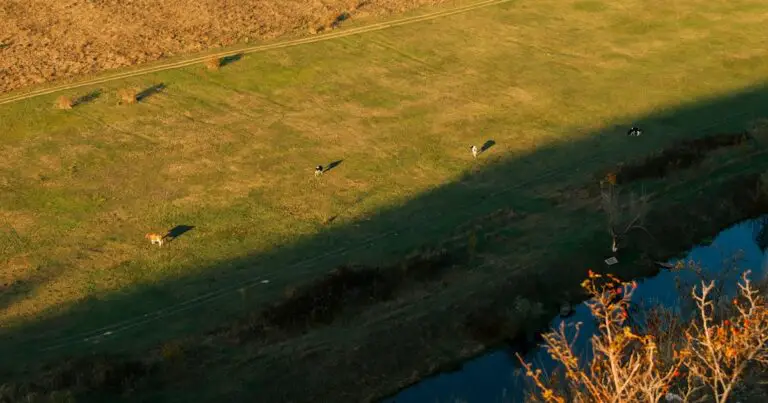
That distinction saves plenty of wasted trips. One of our pilots once found a beautiful, wide-open meadow that looked perfect for aerial footage—until a closer check showed the location wasn’t suitable for the planned flight. The scenery was ready; the drone stayed packed.
A FRIA is one option for flying eligible aircraft without Remote ID, but it doesn’t override other rules. And if your drone broadcasts Remote ID, you can fly outside a FRIA only where the flight and launch site are otherwise allowed.
Key Takeaways
- Check three things before flying: Remote ID compliance, airspace rules, and permission to take off and land.
- Use the FAA’s official FRIA map to confirm whether a field is recognized; an RC club or drone park isn’t automatically a FRIA.
- Remote ID does not grant permission to fly in restricted airspace, launch from prohibited land, or ignore visual-line-of-sight rules.
- Verify your aircraft or module and registration details using the FAA’s Declaration of Compliance database and DroneZone.
- For national parks, check the land manager’s rules: Remote ID does not cancel park restrictions.
Table of Contents
- ⚡️ Quick Tips and Facts
- 🧭 Remote ID Flying Sites: What “Compliant” Really Means
- 📜 FAA Remote ID Rules and How They Affect Where You Can Fly
- Standard Remote ID, broadcast modules, and FAA-Recognized Identification Areas
- Who needs Remote ID—and which aircraft are exempt?
- 📍 How to Find Remote ID-Compliant Drone Flying Sites
- FAA-approved FRIA locations and the FAA UAS Facility Map
- Drone-zone maps, local rules, and airspace authorization
- Public parks, private land, and designated drone fields
- 🛩️ 10 Places to Check for Legal Remote ID Drone Flights
- 1. FAA-Recognized Identification Areas (FRIAs)
- 2. AMA club fields and model aviation sites
- 3. Municipal and county drone parks
- 4. State parks and recreation areas
- 5. National parks and other federally managed land
- 6. Private property with the owner’s permission
- 7. University and research flight areas
- 8. RC airfields outside AMA-sanctioned sites
- 9. Organized drone-racing and FPV venues
- 10. Temporary event sites with appropriate approvals
- 🔧 Flying RC Planes Outside an AMA Field: Remote ID Transmiters and Site Rules
- Choosing and installing a Remote ID broadcast module
- Serial numbers, registration, and broadcast checks
- FPV operations, visual observers, and line-of-sight rules
- ✅ Before You Fly: Remote ID Site-Compliance Checklist
- 🚫 Common Remote ID Flying-Site Mistakes
- 🔐 Remote ID Privacy, Safety, and Troubleshooting
- What Remote ID broadcasts—and what it does not
- Fixing a missing or failed Remote ID signal
- 🌎 Remote ID Flying Sites Outside the United States
- 🏁 Conclusion
- 🔗 Recommended Links
- ❓ FAQ
- 📚 Reference Links
⚡️ Quick Tips and Facts
First, a useful distinction: “Remote ID-compliant flying site” is informal shorthand. Remote ID compliance generally applies to the drone and its operation, not to a special category of public flying field. An FAA-Recognized Identification Area (FRIA) is the key exception: it’s a designated area where eligible drones without Remote ID may fly under specific conditions.
For location rules beyond Remote ID, start with our guide to where you can fly your drone. The FAA’s Remote ID guidance and FRIA map are the authorities to check before takeoff.
| Quick fact | What it means for your flight |
|---|---|
| Most registered drones need Remote ID | Unless an exception applies, a drone that must be registered generally must comply with Remote ID when flown in U.S. airspace. |
| A FRIA is not a blanket permission slip | You still need to follow airspace restrictions, property rules, local ordinances, and visual-line-of-sight requirements. |
| A compliant drone can fly outside a FRIA | Remote ID-equipped aircraft may fly at any location where the operation is otherwise lawful. |
| Broadcast modules have limits | A drone using a Remote ID broadcast module must remain within visual line of sight; it cannot use that module as a basis for routine BVLOS flight. |
| Check the exact model and configuration | Firmware, aircraft version, serial number, and registration details can affect whether a setup is compliant. |
The 60-second site check
- Check the airspace using the FAA UAS Facility Map and an FAA-approved authorization service where required.
- Check the property rules with the land manager, park authority, club, or site owner.
- Check the aircraft in the FAA’s Declaration of Compliance database and verify the correct Remote ID serial number and registration.
- Check that Remote ID is operating using the manufacturer’s instructions or an appropriate receiver.
- Keep the flight legal and considerate: maintain visual line of sight where required, respect people and wildlife, and don’t treat an empty field as permission.
We’ve learned the hard way that the prettiest launch spot can be the wrong launch spot. One of our pilots once found a perfect open meadow, then discovered the airspace and land-use rules made it a no-go. The lesson? A good site is both safe to fly and lawful to use.
🧭 Remote ID Flying Sites: What “Compliant” Really Means
A “Remote ID-compliant site” usually means a place where you can legally take off and operate a drone that meets the applicable Remote ID requirements. The site itself doesn’t certify your aircraft. Nor does a Remote ID signal grant permission to launch from a park, fly over a crowd, enter restricted airspace, or ignore a landowner’s rules.
Think of Remote ID as a digital license plate broadcast by the aircraft, not a golden ticket to every scenic overlook. The FAA describes Remote ID as a way for drones to provide identification and location information during flight; airspace and operating rules remain separate obligations. See the FAA’s Remote ID overview and recreational drone safety rules.
| Term | Plain-English meaning | What it does not mean |
|---|---|---|
| Remote ID compliant | The aircraft follows an accepted Remote ID compliance path for that operation. | It does not mean every location is open to flying. |
| FRIA | An FAA-Recognized Identification Area where aircraft without Remote ID may operate if FRIA conditions are met. | It is not an exemption from airspace, safety, or property rules. |
| Drone park or RC field | A local facility that may allow model aircraft or drones under site rules. | It is not automatically a FRIA or FAA-approved location. |
| FAA-authorized airspace | Airspace where your flight is allowed, sometimes after authorization. | Authorization does not grant permission to use the land beneath it. |
| Broadcast module | A device attached to a drone to meet Remote ID requirements when appropriately configured and registered. | It does not allow routine BVLOS flight. |
The Academy of Model Aeronautics (AMA) and Skydio’s Remote ID explainer both explain the role of FRIAs. Skydio summarizes the practical distinction: “drones without remote ID equipment are limited to operating in flying fields recognized by the FAA.” That statement concerns unequipped drones under the FRIA pathway; it does not mean every Remote ID-equipped drone must stay at a designated field.
Why two pilots can give different answers about the same field
A local club might say, “We’re Remote ID compliant,” because its field is a FRIA. A commercial pilot might say, “I can fly outside a FRIA,” because their aircraft broadcasts Remote ID and the operation is otherwise lawful. Both can be right: they’re describing different compliance pathways.
If a site’s status is unclear, confirm it in the FAA’s FRIA information and map, then ask the property manager about launch permission. A club’s website or a marker on a community map is helpful, but the FAA’s published FRIA listing is the one to trust for FRIA status.
📜 FAA Remote ID Rules and How They Affect Where You Can Fly
The FAA’s Remote ID rule became broadly applicable on September 16, 2023, following extensions and a period of enforcement discretion. Current compliance depends on the drone, its registration, the type of operation, and whether you’re flying within an approved FRIA. Check the FAA’s current Remote ID page for updates rather than relying on old forum posts or a screenshot from a long-retired app menu.
The rule generally affects drones that must be registered. Recreational aircraft weighing 0.55 pounds (250 grams) or more normally require registration; Part 107 operations have separate registration requirements, including for lighter aircraft. The FAA lays out registration and operating requirements on its recreational flyers and Part 107 pages.
Standard Remote ID, broadcast modules, and FAA-Recognized Identification Areas
The FAA recognizes three main compliance paths:
| Compliance path | How it works | Location and operating considerations |
|---|---|---|
| Standard Remote ID drone | Remote ID is built into the aircraft and broadcasts the required message elements. | May operate outside FRIAs when the flight is otherwise lawful. Standard Remote ID capability does not itself authorize BVLOS; a separate applicable authorization or rule is still needed. |
| Remote ID broadcast module | An approved module attached to the aircraft broadcasts identification and location information. | The aircraft must remain within visual line of sight under the module pathway. Follow the module’s operating instructions and registration requirements. |
| FRIA operation | A drone without Remote ID may fly inside an FAA-recognized area under FRIA conditions. | The aircraft must remain within visual line of sight and within the approved FRIA boundaries; other rules still apply. |
The FAA’s Remote ID requirements explain the three paths and their conditions. A common mistake is to assume Standard Remote ID equals permission for beyond-visual-line-of-sight (BVLOS) flight. It doesn’t. The FAA’s Part 107 waivers page explains that certain operations require an applicable waiver or other regulatory authority.
A broadcast module can be a practical fix for an older aircraft, but it adds weight, battery management, mounting decisions, and another device to inspect. We’ve seen pilots do a perfect preflight on the camera and gimbal, then forget the module’s battery. A tiny oversight; a very large “why isn’t this broadcasting?” moment.
Who needs Remote ID—and which aircraft are exempt?
In general, if your drone must be registered, you should expect Remote ID requirements to apply unless a specific exception or approved operating arrangement covers your flight. A sub-250-gram drone is not automatically exempt in every situation: registration and Remote ID obligations can differ when the aircraft is used for Part 107 work.
| Scenario | General rule of thumb | What to verify |
|---|---|---|
| Recreational drone under 250 g | Often does not require FAA registration when flown solely under the recreational exception. | Confirm the operation really qualifies as recreational and check current FAA guidance. |
| Drone weighing 250 g or more | Generally requires registration; Remote ID requirements usually follow. | Verify registration, aircraft compliance, and Remote ID status. |
| Drone used for Part 107 work | Part 107 requirements apply; lighter weight alone may not remove obligations. | Check FAA registration and Remote ID requirements for the specific operation. |
| Drone without Remote ID | May operate in a FRIA if it meets FRIA conditions, or under another applicable FAA exception or authorization. | Confirm the FRIA boundary and maintain VLOS. |
| Government or other specially exempt operation | Some operations may qualify for exemptions under applicable rules. | Don’t assume an exemption applies to private or recreational flights. |
The FAA’s Remote ID FAQs and registration guidance are the best places to confirm edge cases. When in doubt, describe the actual operation—not just the drone model—to the FAA or a qualified aviation compliance professional.
📍 How to Find Remote ID-Compliant Drone Flying Sites
Finding a good location takes two parallel checks: Can you legally fly in the airspace? and Can you legally launch and land on that property? The answer to the first doesn’t automatically answer the second.
FAA-approved FRIA locations and the FAA UAS Facility Map
Use the FAA’s FRIA map and resources to locate current FAA-Recognized Identification Areas. FRIAs are established through FAA approval; an AMA club, school, or other eligible community organization may apply, but membership in AMA alone does not make every club field a FRIA.
Use the FAA’s UAS Facility Map to assess controlled-airspace planning. It helps users understand where certain small UAS operations may be considered for authorization, but it is not a blanket flight approval. For controlled airspace, obtain authorization through an FAA-approved process such as LANC.
Step-by-step FRIA check:
- Search the FAA FRIA resource for the site’s name, club, or address.
- Confirm the location and boundary—not just a nearby label.
- Check the field’s operating hours, membership requirements, and local procedures.
- Separately check airspace restrictions, temporary flight restrictions, and any required authorization.
- Confirm takeoff and landing are allowed by the property owner or manager.
Drone-zone maps, local rules, and airspace authorization
Map apps can be useful planning tools, but no single app answers every legal question. Start with FAA resources, then cross-check local land rules and current restrictions. The FAA’s B4UFLY page points pilots to FAA-approved service providers for airspace awareness. For temporary restrictions, review FAA TFR information.
| Check | Reliable starting point | What to remember |
|---|---|---|
| Controlled airspace | FAA UAS Facility Maps and LANC | Some operations need prior authorization. |
| Remote ID and FRIAs | FAA Remote ID | Verify the actual FRIA listing and boundaries. |
| Temporary flight restrictions | FAA TFRs | Restrictions can change quickly around emergencies and events. |
| National parks | National Park Service | FAA airspace permission does not override park launch and use restrictions. |
| State and municipal land | The relevant agency or park authority | Rules vary by jurisdiction and location. |
A map showing “green” airspace is not a permission slip for the ground beneath it. We’ve had pilots find a lawful airspace window only to discover the launch area belongs to a facility that prohibits takeoff. Check both sides of the map: sky and soil.
Public parks, private land, and designated drone fields
Public parks may allow, restrict, or prohibit drone launches depending on local rules. Private property requires permission from the owner or manager for takeoff and landing, while the FAA governs the aircraft’s use of navigable airspace. Local rules can regulate land use, noise, access, and safety without rewriting federal airspace rules.
Before choosing a field:
- Ask the park department whether drone launching and landing are permitted.
- Check posted signs, event closures, wildlife protections, and operating hours.
- Get clear permission to launch from private property.
- Keep people, roads, buildings, and animals outside your flight risk area.
- Confirm whether the site is an FAA-listed FRIA if you plan to fly without Remote ID.
- Look for a designated model-aircraft area with established safety procedures.
If you’re comparing aircraft for a particular kind of field work, our Beginer Drones, Commercial Drones, and Drone Accessories guides can help you think through aircraft size, battery needs, and useful add-ons.
🛩️ 10 Places to Check for Legal Remote ID Drone Flights
These are places to investigate, not guaranteed permission to fly. Confirm airspace, property access, local rules, and Remote ID requirements for your aircraft before setting up.
| Site type | Remote ID angle | Permission to confirm |
|---|---|---|
| FAA-listed FRIA | May allow eligible unequipped aircraft within FRIA conditions | FRIA boundaries, field rules, airspace |
| AMA club field | May be a FRIA, but don’t assume | FAA FRIA listing and club access rules |
| Municipal drone park | Often has site-specific procedures | City rules, airspace, hours |
| State recreation area | Depends on state and park rules | Managing agency policy and wildlife restrictions |
| National park land | Remote ID does not override NPS restrictions | NPS rules and any applicable authorization |
| Private land | May offer space and owner permission | Property consent and airspace |
| University facility | May support research or education flights | Institution approval and operating plan |
| Independent RC field | Could be a FRIA or simply a private field | FAA status, owner permission, safety rules |
| FPV/racing venue | Organized activities may have procedures | Venue rules, event requirements, applicable FAA rules |
| Temporary event site | May require special coordination or authorization | Event approvals, airspace, land access |
1. FAA-Recognized Identification Areas (FRIAs)
FRIAs are the clearest starting point for pilots operating drones without Remote ID. The FAA publishes approved areas and requires pilots using this pathway to remain within visual line of sight and inside the FRIA’s boundaries. See the official FAA FRIA page.
Good for: traditional RC aircraft, older drones, club flying, and pilots who want a managed field.
Check first: membership or visitor rules, the aircraft’s eligibility, VLOS, FRIA limits, and airspace conditions.
2. AMA club fields and model aviation sites
Many AMA-affiliated fields provide organized flying, experienced members, and established safety practices. Some are FAA-recognized FRIAs; others may not be. Search the FAA’s FRIA listing rather than relying on the club’s affiliation alone, and check the AMA club finder for nearby groups.
Club fields are especially useful for RC pilots who want advice about transmiters, model setup, and field etiquette. One of our pilots learned more about wind direction and battery discipline in one club afternoon than from a month of watching “first flight” videos. Friendly experts are a terrific upgrade from guessing.
3. Municipal and county drone parks
A city or county may designate a model-aircraft field or drone-use area. These locations can be convenient, but a drone park is not automatically a FRIA. Check the local park department for permitted aircraft, hours, registration requirements, and whether FPV use is allowed.
Then check the FAA’s airspace resources and FRIA listing. If the park is not a FRIA, a drone that requires Remote ID generally needs another valid compliance path.
4. State parks and recreation areas
State rules differ substantially. A state park may permit drone use in designated areas, require a permit, limit launches, or prohibit recreational drone operations. Wildlife, nesting areas, visitor safety, and quiet-use policies can all affect access.
Before driving out, consult the state park agency’s official rules—not just a travel blog or social-media post. The National Association of State Park Directors can help you locate state systems, but the relevant state agency’s current policy is what matters.
5. National parks and other federally managed land
Remote ID does not cancel restrictions on launching or operating from National Park Service land. The NPS generally prohibits launching, landing, or operating unmanned aircraft on NPS-administered lands and waters, subject to limited exceptions and authorizations. Check the NPS’s unmanned aircraft policy information and contact the specific park for current guidance.
Other federal lands are managed by different agencies and may have different rules. Verify the land manager’s policy directly; “federal land” is not one universal drone rule.
6. Private property with the owner’s permission
A spacious private field can be a good launch site when the owner agrees and the airspace is suitable. Get permission for takeoff and landing, discuss where people or livestock may be, and agree on operating times and noise expectations.
Permission from the landowner does not authorize restricted-airspace operations or waive FAA rules. Check airspace and Remote ID separately. If you’re flying for work, our Drone Business Opportunities section covers broader planning considerations.
7. University and research flight areas
Universities and research institutions may operate approved test areas, labs, or model-aircraft fields. Access is usually controlled, and institutional safety protocols can be stricter than casual park rules.
Contact the institution’s aviation, research, or facilities office. Ask whether outside pilots are permitted, what aircraft and Remote ID systems are accepted, and whether the site is a listed FRIA or operates under a separate approval.
8. RC airfields outside AMA-sanctioned sites
Independent RC fields can be excellent places to fly, but “RC field” doesn’t tell you whether the site is a FRIA, who owns the land, or what operations are allowed. Ask the field operator for its FAA FRIA status and operating rules, then verify the location in the FAA’s FRIA resources.
For pilots bringing an aircraft with a broadcast module, ask whether the club has procedures for identifying module serials, sharing airspace, and managing mixed operations. A little coordination prevents a field full of pilots from asking, “Whose module is chirping?”
9. Organized drone-racing and FPV venues
Racing venues may offer structured courses, safety briefings, and event-specific procedures. FPV flying still has to comply with applicable FAA rules, including visual-line-of-sight requirements and any allowed use of a visual observer. The FAA’s recreational flyer guidance and Part 107 rules are useful starting points.
Don’t assume a race event’s organizer has handled every pilot’s registration or Remote ID setup. Ask what’s covered by the event and what remains your responsibility.
10. Temporary event sites with appropriate approvals
Airshows, fairs, film shoots, and community events may use temporary flight arrangements, but a temporary site is not automatically open to visiting drone pilots. Events can involve temporary flight restrictions, crowd-safety concerns, restricted launch zones, or special authorizations.
Confirm the organizer’s written instructions, any required FAA authorization, and landowner permission. Never launch over a crowd just because an event has a drone team. The FAA’s operations over people guidance explains the requirements for applicable Part 107 operations.
🔧 Flying RC Planes Outside an AMA Field: Remote ID Transmiters and Site Rules
You do not need to belong to AMA to fly legally, and AMA membership alone does not establish Remote ID compliance. Outside an AMA field, the same core questions apply: Does the aircraft meet the Remote ID requirement for this operation? Is the airspace lawful? Do you have permission to use the launch site?
For an unequipped aircraft, a FRIA may offer a lawful pathway if the flight meets FRIA conditions. For a drone that cannot comply through built-in Standard Remote ID, an approved broadcast module may be an option. Confirm the device against the FAA’s Declaration of Compliance database and consult the manufacturer’s documentation.
Choosing and installing a Remote ID broadcast module
A module needs to be compatible with the aircraft and installed in accordance with its instructions. Consider the following before buying:
| Consideration | Why it matters |
|---|---|
| FAA Declaration of Compliance | Confirms the listed product is accepted for the relevant Remote ID use. |
| Weight and mounting | Affects aircraft balance, flight time, and secure attachment. |
| Power and battery life | The module must broadcast during the flight; charging is part of preflight. |
| Serial number | The module’s Remote ID identifier must match the relevant registration record. |
| Operating limitations | Module-based operations require VLOS and follow applicable FAA rules. |
| Receiver or app support | Helps you verify that the module is broadcasting as expected. |
Products such as Dronetag’s Remote ID devices and uAvionix Remote ID products are examples to investigate, not automatic endorsements. Verify the exact model and configuration in the FAA database before purchase. For more equipment ideas, browse our Drone Accessories guides.
👉 CHECK PRICE on:
- Dronetag Remote ID devices: Amazon | Dronetag Official Website
- uAvionix Remote ID products: Amazon | uAvionix Official Website
Serial numbers, registration, and broadcast checks
A product page saying “Remote ID ready” is not enough. Verify the aircraft or module’s exact compliance status and make sure the identifier on your FAA record matches the device’s required Remote ID serial number.
- Find the exact aircraft or module model and check the FAA Declaration of Compliance database.
- Update firmware using the manufacturer’s official app or support instructions.
- Locate the correct serial number in the aircraft app, on the module, or in the manufacturer’s documentation.
- Update your FAA registration record through FAA DroneZone.
- Power up and check status using the manufacturer’s app or approved verification method.
- Confirm that broadcasting starts and remains active as directed by the aircraft or module manufacturer.
The first video’s practical advice is sound at its core: check the FAA’s Declaration of Compliance listing and confirm that the aircraft is actively broadcasting. It also discusses serial-number patterns and manufacturer-app menus, but those details can change with firmware and product revisions. Trust the current FAA listing and the manufacturer’s current instructions over a generic serial-number shortcut. The video’s #featured-video anchor is not available as a verified destination here, so we’re not inventing a link to it.
For DJI aircraft, start at DJI’s official support site and confirm the exact model and firmware. For Autel aircraft, use Autel Robotics support rather than relying on model-family assumptions. Product variants can differ even when their names look nearly identical.
👉 Shop relevant brands:
- DJI: Amazon | DJI Official Website
- Autel Robotics: Amazon | Autel Robotics Official Website
- Parot: Amazon | Parot Official Website
- Skydio: Skydio Official Website
FPV operations, visual observers, and line-of-sight rules
FPV goggles can make a drone feel like it’s attached to your eyebrows. Legally, though, the aircraft still needs to be operated under the applicable visual-line-of-sight rules, with a visual observer where required. Remote ID does not remove VLOS obligations for a broadcast-module flight or a FRIA operation.
Before flying FPV:
- Review the FAA’s recreational flyer requirements or applicable Part 107 rules.
- Agree on clear communication with your visual observer.
- Keep the observer able to see the aircraft and alert you to hazards.
- Stay within the site’s boundaries and event procedures.
- Confirm any special event or club requirements.
✅ Before You Fly: Remote ID Site-Compliance Checklist
Use this checklist at home and again at the field. The second check catches changes such as a temporary restriction, closed park, or drained module battery.
| Check | Done? |
|---|---|
| I confirmed the site permits drone takeoff and landing. | ☐ |
| I checked current airspace and any required authorization. | ☐ |
| I reviewed temporary flight restrictions and local notices. | ☐ |
| I verified whether the site is an FAA-listed FRIA if flying without Remote ID. | ☐ |
| My aircraft or module matches an FAA-accepted compliance path. | ☐ |
| My FAA registration and Remote ID serial number are accurate, when required. | ☐ |
| Firmware is current and the broadcast status is confirmed. | ☐ |
| I can maintain VLOS and meet the rules for my operation. | ☐ |
| I checked weather, wind, people, wildlife, and nearby obstacles. | ☐ |
| I know the site’s emergency procedures and landing area. | ☐ |
For airspace planning, use the FAA’s UAS resources and LANC guidance. For registration, use FAA DroneZone. Save those links before you arrive somewhere with one bar of cell service and a very dramatic loading spinner.
🚫 Common Remote ID Flying-Site Mistakes
| Mistake | Why it causes trouble | Better move |
|---|---|---|
| Assuming a drone park is a FRIA | Local designation and FAA FRIA approval are different things. | Verify the site in the FAA’s FRIA resources. |
| Assuming Remote ID means “legal anywhere” | Airspace, land access, and local rules still apply. | Check airspace and property rules separately. |
| Relying only on a community map | Maps can be outdated or incomplete. | Cross-check official FAA and land-manager information. |
| Using the wrong serial number | Registration may not match the identifier being broadcast. | Follow the manufacturer’s current instructions and verify the FAA record. |
| Forgeting to charge a broadcast module | A compliant module that is not operating won’t solve the problem. | Add module battery status to preflight. |
| Treating Standard Remote ID as BVLOS approval | Remote ID and BVLOS authorization are separate matters. | Review the applicable FAA rule or authorization. |
| Flying at a national park because the drone broadcasts | Remote ID does not override park restrictions. | Check the NPS policy and contact the park. |
| Assuming AMA membership makes every field a FRIA | Club affiliation and FAA FRIA status are not interchangeable. | Verify the field in the FAA listing. |
A Reddit thread, forum post, or social-media comment can point you toward a site worth investigating—but an inaccessible post or login-only page isn’t evidence of a site’s current legal status. For example, the supplied Facebook discussions don’t expose verifiable post content to us, so we can’t fairly attribute a quotation or recommendation to them. We’d rather give you a boringly accurate FAA link than a wonderfully confident guess.
🔐 Remote ID Privacy, Safety, and Troubleshooting
Remote ID supports identification and situational awareness, but it is not a substitute for safe flying or a way to identify every nearby aircraft instantly. The FAA explains what information is broadcast and who can use it on its Remote ID page. The precise message elements vary by compliance path, so use current FAA guidance rather than assuming every setup reports identical data.
What Remote ID broadcasts—and what it does not
Remote ID systems broadcast required information such as aircraft identification and location-related data. Standard Remote ID and broadcast-module configurations have different technical details. The FAA’s Remote ID overview is the best source for the current message requirements.
Remote ID is not:
- A general permission system for restricted airspace.
- A guarantee that a flight is safe or authorized.
- A replacement for registration where registration is required.
- A substitute for visual line of sight or a required waiver.
- A promise that the public can identify the pilot by looking at a phone app.
For privacy concerns, read the FAA’s explanation of Remote ID and review the settings and data practices of any third-party receiver or app you choose. Avoid posting your registration or serial-number details publicly unless you understand what you’re sharing.
Fixing a missing or failed Remote ID signal
If the app says Remote ID is unavailable, don’t launch first and troubleshoot later. Work through the basics:
- Confirm that your exact aircraft or module model is listed in the FAA Declaration of Compliance database.
- Check for firmware updates and restart the aircraft, controller, and app.
- Confirm that the correct serial number is entered in FAA DroneZone.
- Check the module’s battery, secure mounting, and manufacturer-recommended startup sequence.
- Use the manufacturer’s official support instructions for your precise model.
- If the issue persists, contact the manufacturer or fly only under a clearly applicable alternative pathway, such as a valid FRIA operation.
A status message can be misleading if it indicates that a feature is available rather than actively broadcasting. Verify what the manufacturer’s current documentation says the status means. For DJI, see DJI Support; for Autel, see Autel Support; for Skydio, see Skydio Support.
🌎 Remote ID Flying Sites Outside the United States
The FAA’s Remote ID framework applies to operations in the United States. Other countries may have different drone registration, electronic-identification, airspace, and site-access requirements. Do not assume a U.S. Remote ID configuration alone makes a flight compliant abroad.
Before an international flight:
- Check the aviation authority in the country where you plan to fly.
- Verify whether registration, operator ID, Remote ID, or geo-awareness is required.
- Check local rules for parks, beaches, heritage sites, and protected landscapes.
- Confirm whether your aircraft and radio equipment may be brought into the country.
- Review insurance and customs requirements when relevant.
For European operations, begin with the European Union Aviation Safety Agency (EASA). For the United Kingdom, consult the UK Civil Aviation Authority. Their requirements are distinct from FAA rules, so a U.S. FRIA listing has no standing as a permission to fly overseas.